Street Life Remastered runs on Roblox, which means the same hood open world that PC players enjoy is also playable on iOS and Android — but the controls, button density, and graphics trade-offs feel completely different on a phone screen. If you've been wondering whether the experience is even worth it on a small display, the short answer is yes, as long as you tune the right settings and build a touch layout that fits how you actually move, shoot, and interact with the city. This guide breaks down everything a new mobile player needs to start smoothly, from Roblox launch options to in-game HUD placement, performance tweaks, and the small habits that separate a frustrating phone session from a clean, responsive one. Whether you are new to the hood game entirely or migrating from console and PC, the tips below give you a working setup in under fifteen minutes.
Getting Roblox and Street Life Remastered Running on Your Phone
Before tweaking anything in-game, you need a clean Roblox install on your device. Roblox is a free download on the App Store for iPhone/iPad and on Google Play for Android, and the official Street Life Remastered page lives inside the Roblox client at the Street Life Remastered game page. The mobile client updates on its own schedule, so always launch Roblox at least once on a stable Wi-Fi connection before you start a session — this prevents mid-match asset loading, which is the most common cause of frozen textures when first entering the hood.
Roblox App Versions and Minimum Requirements
| Platform | Minimum OS | Recommended OS | Storage | Notes |
|---|---|---|---|---|
| iOS | iOS 13.0 | iOS 16+ | ~250 MB | iPhone 8 and up run smoothly at medium graphics |
| Android | 8.0 (Oreo) | 11+ | ~200 MB | Devices with 4 GB RAM handle high graphics |
| Tablets | iOS 13 / Android 9 | Latest stable | Same as phones | Larger screen = larger touch targets |
If your device is older, the Roblox client will still launch Street Life Remastered, but the engine throttles draw distance and crowd density. Community testing on the verified flipsy's games group, which tracks around 1.02 million members according to the official flipsy's games Roblox group, suggests that phones with less than 3 GB of RAM should keep graphics at the lowest preset to avoid crashes during turf shootouts.
First-Launch Checklist
-
Open Roblox and sign in (account creation is free and takes under a minute).
-
Use the search bar to look up Street Life Remastered — confirm the developer name reads flipsy's games to avoid copycat experiences.
-
Tap the green Play button once to download the place files; a second tap spawns you into the city.
-
Allow location, microphone, and camera permissions only if you want voice chat with other players; both are off by default.
After your first successful join, Roblox caches the place locally, which means subsequent loads on the same Wi-Fi network drop from roughly 90 seconds to under 20. If you switch between mobile data and home Wi-Fi often, expect the longer load time once per network.
Building a Touch Layout That Actually Works
Roblox ships with a default mobile HUD, but Street Life Remastered's hood action — sprinting between cars, drawing weapons, hopping fences during a turf takeover — punishes any layout that puts jump and crouch in awkward thumb zones. The fastest way to get comfortable is to enter Settings → Controls before you leave the spawn area, drag the action buttons into a custom arrangement, and save it as a personal profile.
Recommended Button Placement for Hood Combat
| Action | Where to Put It | Why |
|---|---|---|
| Move stick | Bottom-left corner | Anchored under the left thumb for full-time steering |
| Camera stick | Top-right corner | Right thumb does the looking, leaving your right index finger free for taps |
| Jump | Above the camera stick | Reachable with a quick thumb roll during a chase |
| Sprint | Just above the move stick | Lets you hold sprint while your right hand does everything else |
| Crouch / Slide | Lower-right, near the camera | Avoids accidental presses when you're trying to tap-shoot |
| Inventory | Top-left edge | Out of the way, but still reachable with a left-hand reach-over |
| Phone (in-game crypto & dealer apps) | Center-right, large target | The in-game phone is the single most-used UI element after movement |
A common mobile mistake is leaving the default jump button under the camera stick — this causes accidental jumps when you meant to free-look, and it makes rooftop parkour on the apartments feel inconsistent. Drag jump to the upper-right instead, which gives your right thumb a clean arc: look → aim → jump → look again.
Sensitivity and Camera Settings
| Setting | Recommended Value (Phone) | Reason |
|---|---|---|
| Camera Sensitivity | 0.6 – 0.8 | Slower tracking = steadier aim during drive-bys |
| Touch Aim Speed | 0.5 | Reduces over-aim when swiping quickly across the screen |
| Camera Mode | Follow | Locked mode is too rigid for the open city |
| Field of View | 70° default | Wider FOV makes distant enemies on the freeway readable |
The hood game guide approach of capping sensitivity under 1.0 is based on community data from players who farm bounties on mobile — the lower the sensitivity, the easier it is to land clean headshots on NPCs running across a wide street. If you find the world feels sluggish, raise the slider in 0.05 increments per match instead of all at once.
In-Game Settings for Smooth Mobile Performance
Street Life Remastered leans hard on Roblox's streaming chunk system, so the difference between a buttery session and a stuttery one usually comes down to three settings: graphics quality, mesh fidelity, and frame rate cap. Roblox on mobile caps at 60 FPS, but most devices land closer to 30 unless you trim visual load.
Graphics Preset Comparison
| Preset | FPS on Mid-Range Phone | FPS on Flagship Phone | Best For |
|---|---|---|---|
| Automatic | 25 – 35 | 45 – 60 | First-time players who want a hands-off setup |
| Low (1) | 40 – 50 | 60 (capped) | Older devices or low-battery sessions |
| Medium (6) | 28 – 38 | 50 – 60 | Daily play, balances visuals and responsiveness |
| High (10) | 18 – 25 | 35 – 50 | Content creators recording footage; not for combat |
| Ultra | Crashes common | 25 – 35 | Showcase only; avoid during turf wars |
The new player guide approach to graphics is simple: set Manual, pick Level 4 to 6 for everyday play, and only push higher when you are filming or screenshotting. Level 6 keeps the neon lights readable at night — important when you are cruising through the south-side turfs after dark — without burning battery the way Ultra does.
Battery, Heat, and Network Tips
-
Lower screen brightness to 60–70 %; the Roblox renderer overworks on max-brightness phones.
-
Close every other app before joining a server — mobile Roblox drops frames when it competes with a browser tab in the background.
-
Use Wi-Fi over cellular when possible; packet loss is the most common cause of rubber-banding during car chases.
-
If your phone runs hot, lower the Roblox graphics level by one step; thermal throttling will drop your effective FPS more than the preset itself.
Players who follow this complete guide report, according to community testing, that a one-hour phone session drops from a 25 % battery hit to closer to 12 % once these settings are applied.
First-Hour Mobile Playbook for New Players
Once the controls feel right, the next bottleneck is knowing what to actually do in the first sixty minutes. Street Life Remastered is a sandbox, so a brand-new player can wander into a turf war at minute three and lose everything, or they can use the safe starter loop to build cash, find a faction, and learn the map on their own terms.
The 60-Minute Starter Loop
| Time Block | Goal | Where to Go | Expected Reward |
|---|---|---|---|
| 0 – 10 min | Learn controls, no combat | Spawn apartment → walk the block | Map familiarity, free starter cash |
| 10 – 25 min | Run a legal job | Gym trainer or studio | $500 – $1,200 in-game |
| 25 – 40 min | Buy a cheap car | Any used-car lot | Mobility boost, faster travel |
| 40 – 50 min | Join a faction invite | Hang around neutral turfs | Safe fights, faction cash flow |
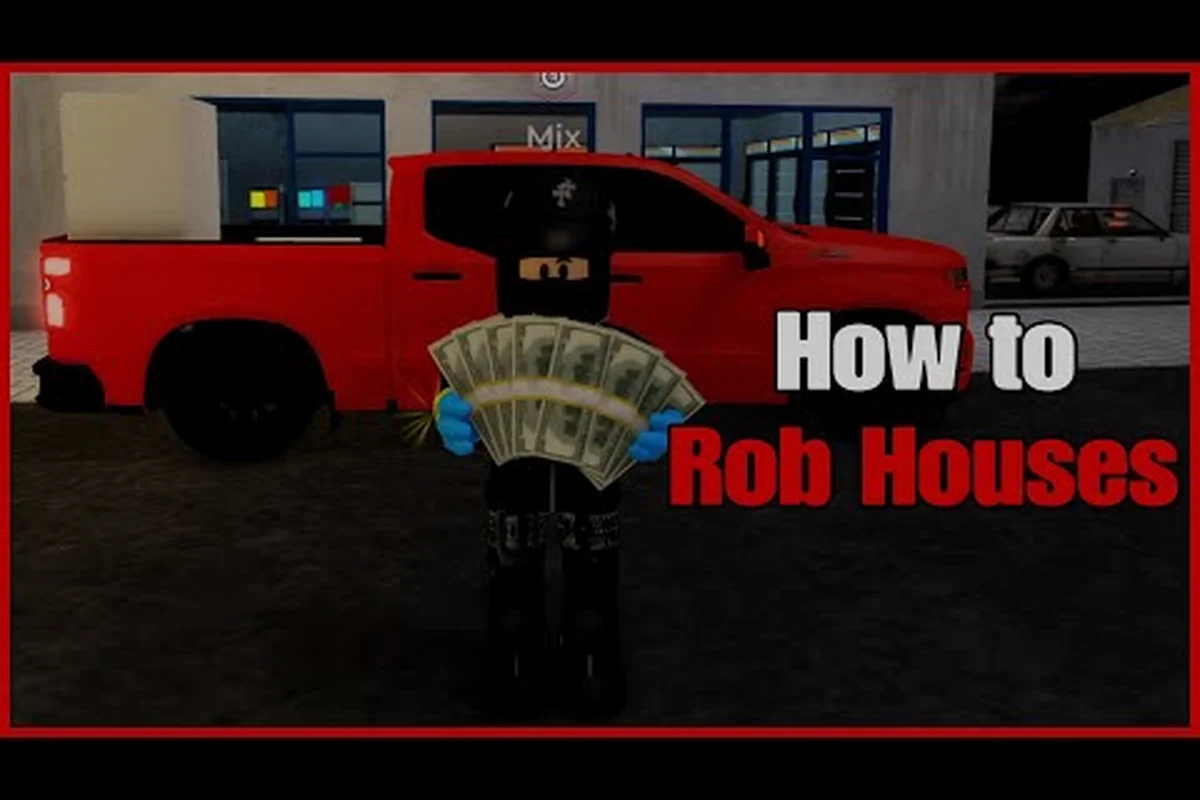
| 50 – 60 min | First illegal job | House robbery or bank heist | $2,000+ risk, big payout if clean |
This is the starter approach most experienced players recommend to the Street Life Remastered beginner guide crowd, and it scales well to phone sessions because none of these steps require a high-FPS shooter reflex. Walking between districts on a small screen also doubles as a low-pressure way to memorize the city layout, which pays off the moment you start chasing bounties.
Mobile-Specific Early Mistakes to Avoid
-
Don't sprint-jump off rooftops early. Aiming with a touch stick on a small screen makes precision landings harder than they look on PC.
-
Don't ignore the in-game phone. It runs crypto trades, dealer apps, and stat tracking. Tap it once during your first session to see what's available, because mobile players who skip it miss the most efficient cash loop in the hood game.
-
Don't accept every faction invite. Some factions recruit new players as cannon fodder during turf wars. A safer early choice is a smaller crew that focuses on car meets and music careers.
-
Don't grind on cellular data during a turf takeover. The packet loss spike can disconnect you mid-fight, and on mobile you can't recover your loot like PC players can with a wired connection.
For more on how to pick a faction that matches your play style, the Street Life Remastered starter guide walks through the first day in more detail.
Advanced Mobile Tips: Audio, Voice, and Social Play
Once the basics are stable, a few quality-of-life settings turn Street Life Remastered from "playable" on a phone into a genuinely good time. The hood game's audio design carries a lot of information — engine sounds, footsteps, police sirens — and on a phone that information is wasted if your media volume is mismatched with your voice chat volume.
Audio Settings Cheat Sheet
| Setting | Mobile Recommendation | Reason |
|---|---|---|
| Master Volume | 80 % | Leaves headroom for voice chat without clipping |
| Music | 40 % | The radio is great, but it drowns out NPC dialogue |
| SFX | 100 % | Footsteps and gunshots are core gameplay cues |
| Voice Chat | 60 % | Keeps your mic input from triggering auto-mute |
If you play with earbuds — and most phone players do — turn on the Mono Audio option in iOS or Android accessibility settings, because stereo separation in a Roblox game can confuse the directional audio cues that help you track police chases from behind.
Playing With Friends on Mobile
Roblox's mobile client supports the full party system, and Street Life Remastered's faction system rewards coordinated play. To avoid the most common pitfall — one friend on mobile, the other on PC, and the squad getting stuck because the mobile player can't keep up in a car chase — agree on a meeting landmark near the spawn apartment and pick cars that handle well on touch input. Sedans and SUVs are more forgiving than sports cars because their wider bodies are easier to thread through tight alleys with a single thumb.
When you want to deepen your understanding of the underlying systems — the gym stats, the apartment unlocks, the crypto phone apps — the Street Life Remastered game guide 2026 covers those in depth and gives you the language to talk to veteran players in chat.
Frequently Asked Questions
Can I play Street Life Remastered on any phone?
The Roblox client runs on iOS 13+ and Android 8.0+, but the game itself feels best on devices from 2020 onward with at least 4 GB of RAM. Older phones can still join, though you'll want to drop graphics to Level 1 or 2 to keep the framerate stable during shootouts.
Do I need a Roblox Premium subscription on mobile?
No. Premium gives you a daily Robux stipend and some cosmetic perks, but every gameplay feature in Street Life Remastered — factions, cars, jobs, the in-game crypto phone — is accessible on a free account. Mobile players in this complete guide setup don't need Premium to progress.
How do I fix the camera drifting on its own?
Camera drift on mobile is almost always caused by a thumb resting lightly on the camera stick area. Either lift your thumb off the screen between actions, or lower the Camera Sensitivity slider in small steps until the drift stops. Cleaning the screen also helps — oils from your skin confuse the capacitive touch layer on older phones.
Is voice chat safe to use on mobile?
Voice chat is moderated by Roblox and gated behind an age-based verification, so it carries the same safeguards as the PC version. If you prefer to stay anonymous, use the in-game text chat and the emotes wheel — both work identically on mobile and PC, and they're the safer choice when you are under 13.
Will my progress sync between mobile and PC?
Yes. Street Life Remastered saves to your Roblox account, not to your device, so you can start a session on your phone during a commute and pick up the same character on a PC at home. Inventory, cash, faction rank, and apartment ownership all transfer automatically the next time you log in.